Install a Seed Pack
Before you start
- A provisioned tenant.
- Credentials that can write configuration to it.
1. Choose a preset
A preset installs a whole stack in one step: universal reference data, universal entity types with conservative match profiles, and an industry-specific overlay.
Choose the vertical closest to your domain. Extending a close fit is much less work than assembling from parts.
2. Install
Installation is idempotent: every step looks for the row before creating it. Re-running converges rather than duplicating, so it is safe to repeat after a partial failure or to pick up pack changes.
3. Verify what landed
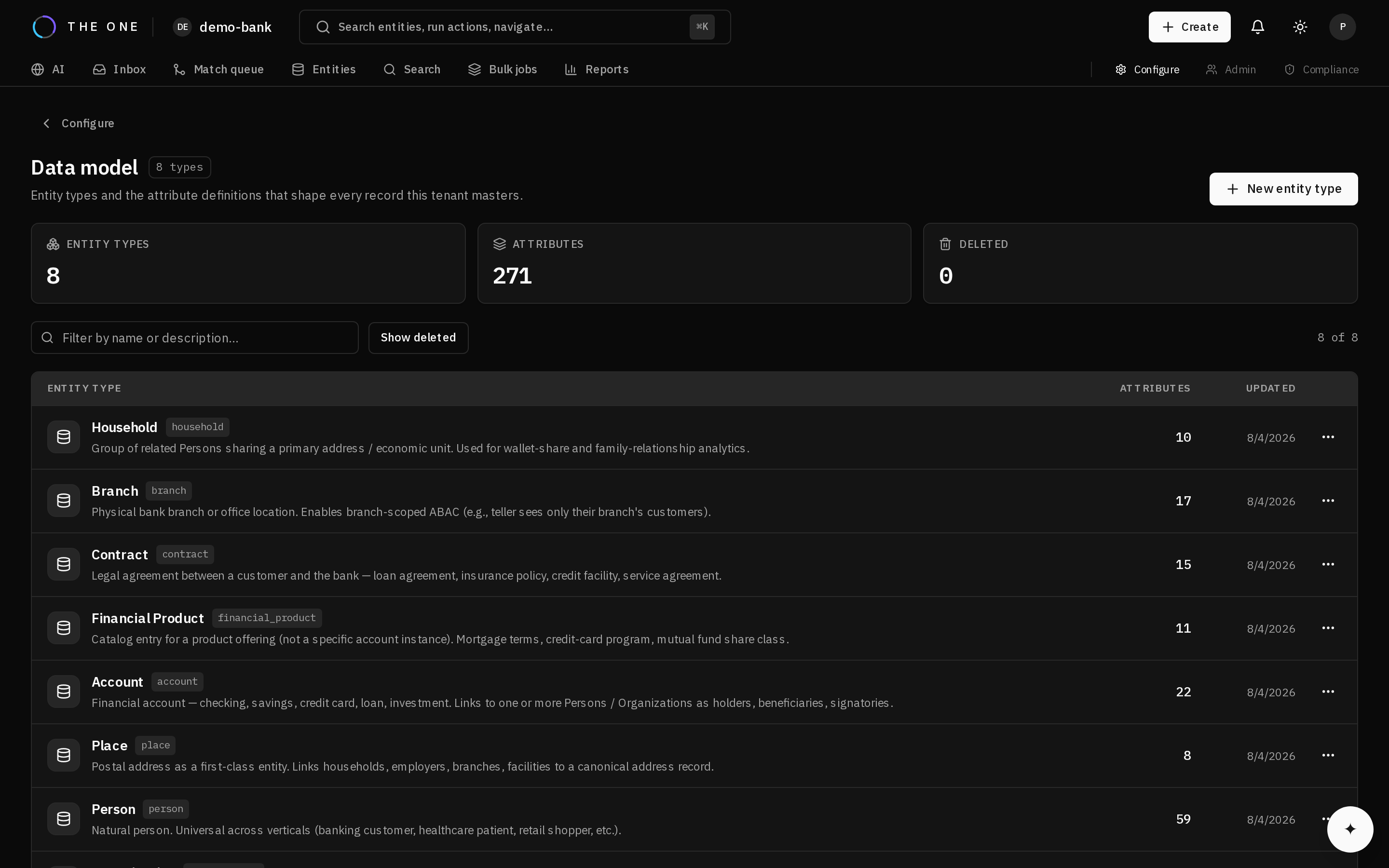 What a pack installs is ordinary configuration. This is the data model screen after one landed.
Check that entity types, attributes, reference data, rules, match profiles, and roles are present, and that a match profile is active for each entity type you intend to match.
4. Understand what did not land
Packs are configuration only. No entity records, crosswalks, relationships, interactions, or consent records are created.
Installing a pack shapes a tenant; it does not populate it.
5. Extend it
Installed configuration is ordinary tenant configuration. Add attributes, adjust profiles, define your own types. Nothing is locked because it arrived from a pack.
6. Tune before trusting the matching
Packs ship deliberately conservative match profiles: they under-merge rather than over-merge.
That is the right default — under-merging leaves work in a review queue, while over-merging corrupts golden records and needs unpicking. But it is not tuned to your data, and it cannot be: a pack has no way to know your value distributions.
Load records, then tune thresholds against your own labelled pairs.