Loading Data in Bulk
Loading a few records is a request. Loading a few million is a job — it runs asynchronously on a worker fleet, reports progress, and survives a worker dying mid-way.
Job types
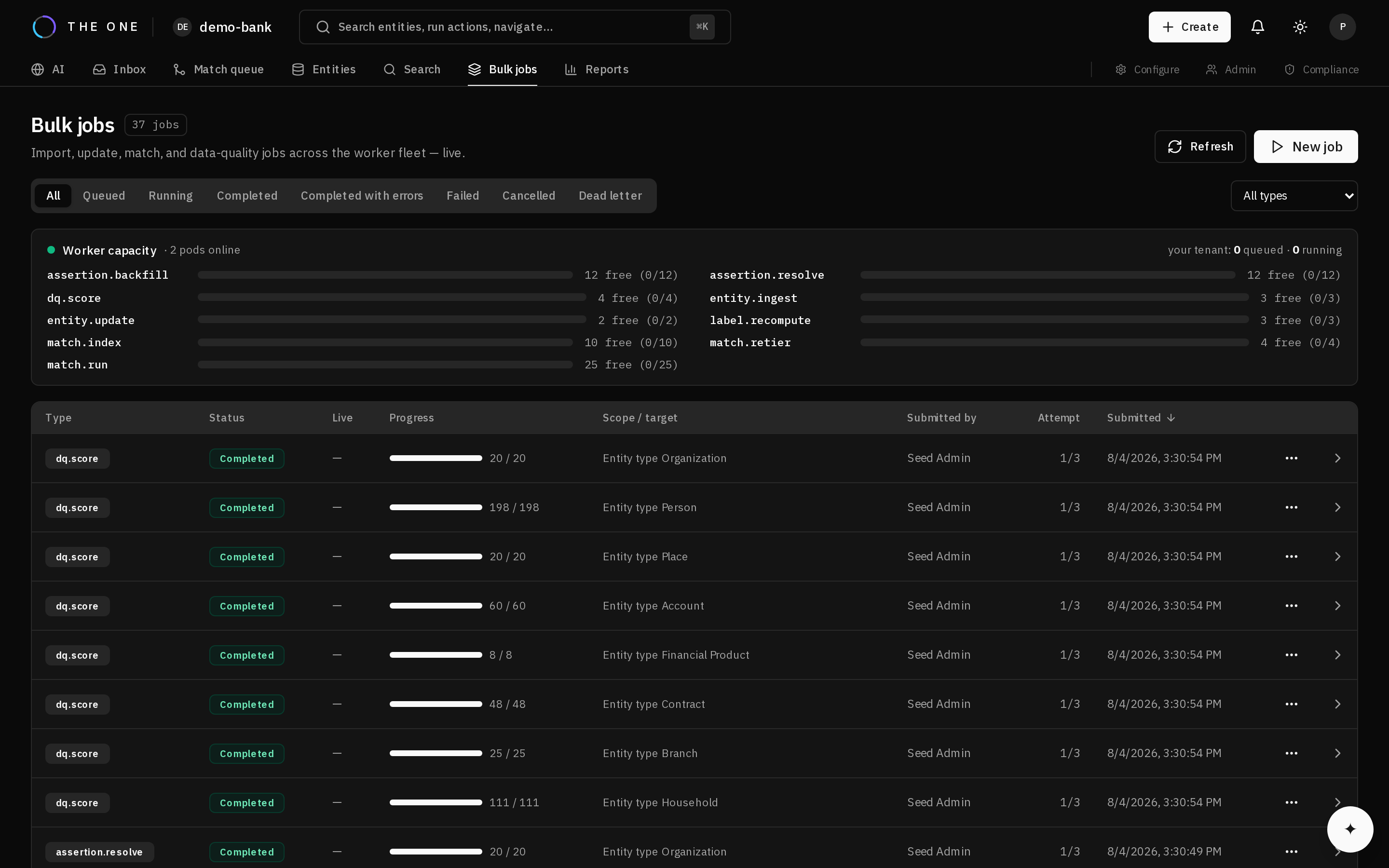 The bulk jobs screen. Each row is a job, with its type, status and progress.
| Type | Does |
|---|---|
| Entity ingest | Creates records at volume |
| Entity update | Updates records at volume |
| Match index | Recomputes blocking keys |
| Match run | Runs matching across a scope |
| Match retier | Re-evaluates queued pairs against changed thresholds |
| Data quality score | Recomputes scores |
| Label recompute | Rebuilds display labels after a template change |
| Assertion backfill | Evaluates existing evidence against a resolution rule |
| Assertion resolve | Resolves pending relationship assertions |
Recompute jobs accept a tenant-wide scope, so "rescore everything" is a single submission rather than an orchestration problem you have to solve yourself.
How jobs behave
A job is split into chunks that workers claim independently. This is why:
- A dying worker loses at most one chunk, which another worker reclaims. Progress is not restarted.
- Adding workers adds throughput without reconfiguring the job.
- Progress is real, derived from completed chunks plus live progress within in-flight ones, rather than estimated.
Jobs report a status, a progress count, and per-row errors where rows failed individually.
Partial success is normal
A bulk load of a million rows will usually have some that fail validation. The job does not abort — valid rows land, failures are recorded per row with their reason, and you fix and resubmit only those.
This is the right default at volume. Aborting a million-row load because of forty bad rows wastes the other 999,960.
Backpressure
Submitting more work than the platform can absorb is rejected explicitly rather than accepted and queued indefinitely. A rejection tells you to retry later, which is a far better failure than silent unbounded growth.
The initial-load path
The first load into a new tenant is a special case: there is no history worth recording and nothing has changed yet. An initial-load option skips per-row history and audit writes, which is substantially faster, and a record's history then begins at its first real change.
Use it for the first load. Do not use it for ongoing operation — the history it skips is the history you will later want.
Advice
- Standardize and validate before loading at volume, not after. Fixing a million records is much more expensive than configuring a rule.
- Load reference data first, then entities, then relationships. Each depends on the previous.
- Match after loading, not during. Matching a partially loaded dataset produces decisions that later data would have changed.