Create a Match Profile
A match profile is the complete configuration governing how one entity type is matched. This page creates one and activates it.
Before you start
- An entity type with its attributes defined. See Model your data.
- Standardization rules configured for the attributes you will match on. The matcher compares canonical values, so standardizing first materially improves results.
- Permissions per step:
match-profile.createfor the profile itself, thenmatch-profile.blocking-strategy.create,match-profile.comparison-level.createandmatch-profile.survivorship-rule.createfor its parts,match-profile.maintainto build blocking keys and frequencies, andentity.matchto run the verification dry-run.
1. Create the profile
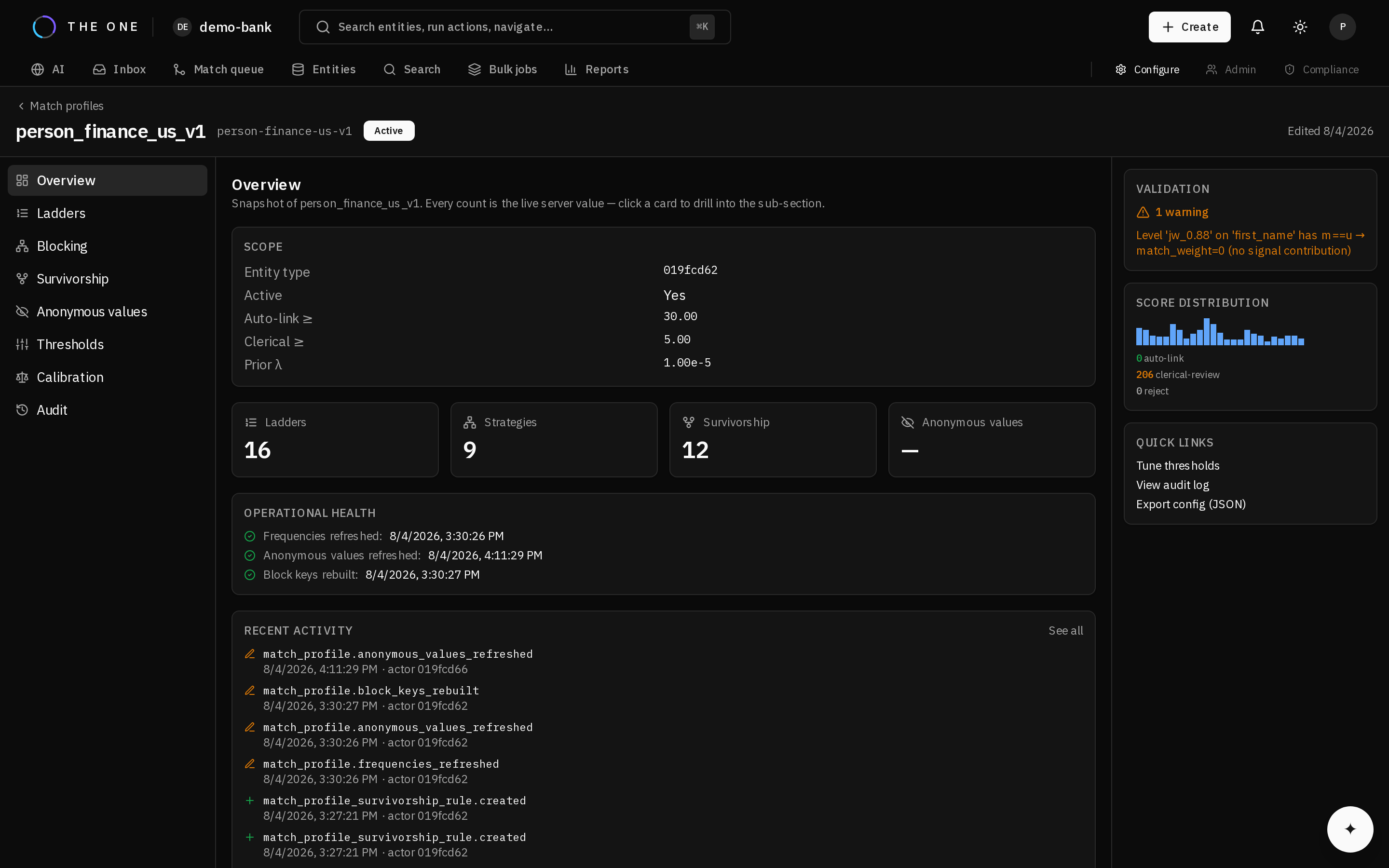 The profile's overview tab, where it is created and later activated.
Create the profile with its thresholds and prior. Thresholds are on the log2 evidence scale — see how probabilistic scoring works before choosing them.
Start deliberately conservative. A profile that under-merges leaves work in the review queue; one that over-merges corrupts golden records and needs unmerging.
2. Add blocking strategies
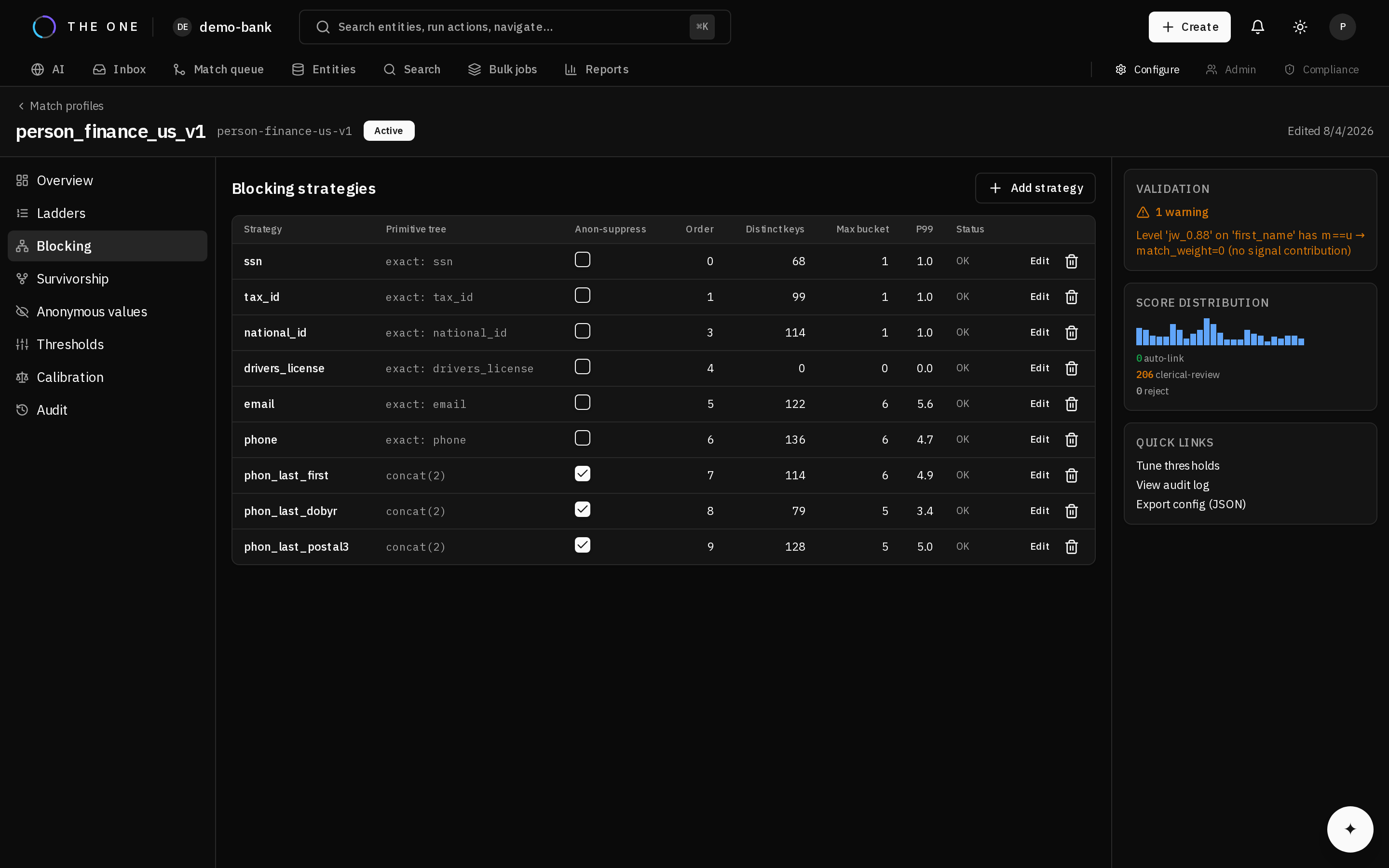 The Blocking tab. Each strategy derives its own keys; a record is a candidate if any of them matches.
Blocking gathers candidate pairs. Each strategy derives a key from one or more attributes; records sharing a key are compared.
Design for recall: a pair no strategy proposes can never match, whatever the evidence would have been. Several narrow strategies work better than one broad one — each catches a different failure mode.
| Strategy shape | Catches | Misses |
|---|---|---|
| Exact postal code plus surname initial | Typical households | Anyone who moved |
| Phonetic surname plus birth year | Spelling and transcription variants | Name changes |
| Email local part | Shared contact details | Records with no email |
Use several. Overlap is the point.
3. Add comparison ladders
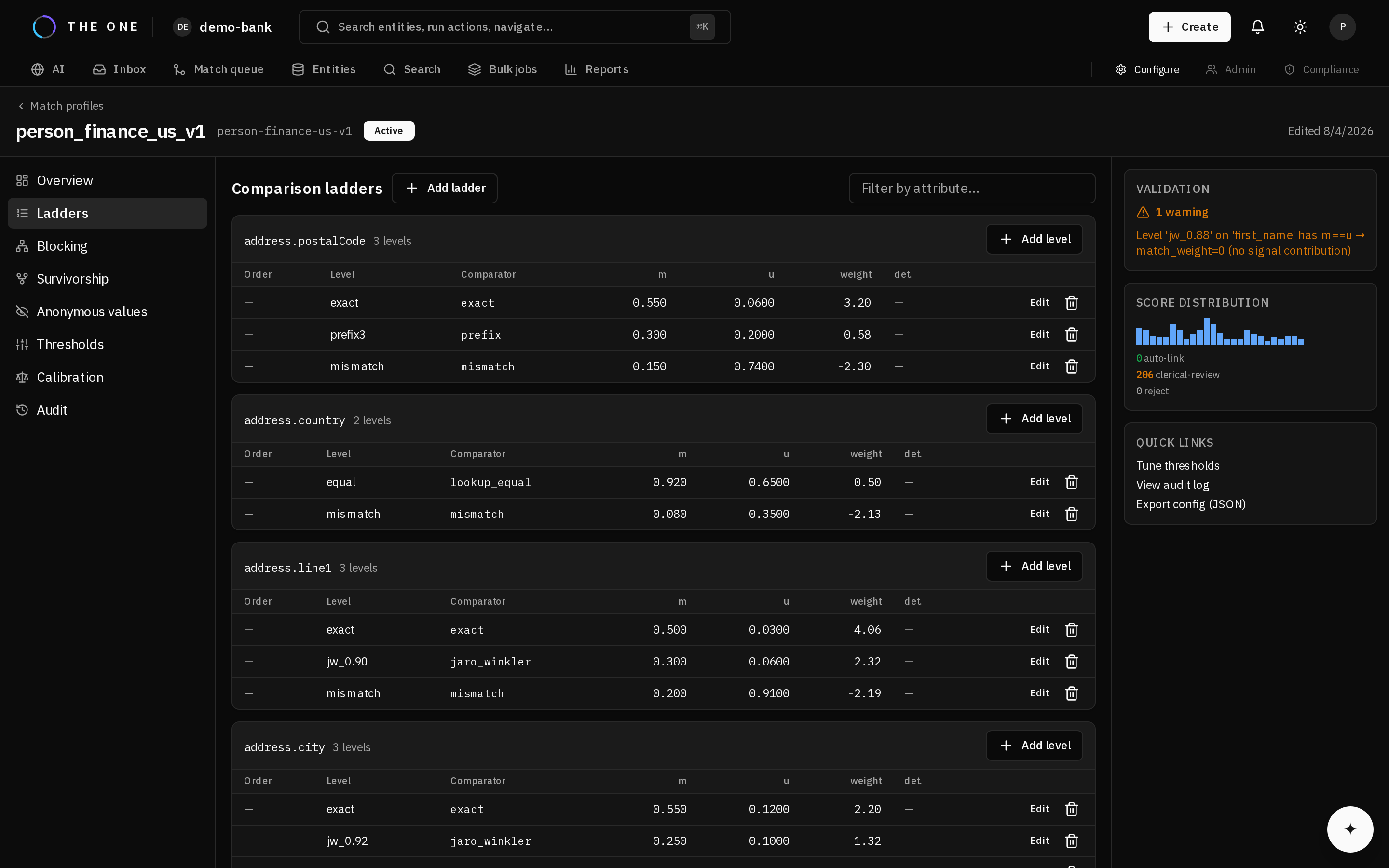 The Ladders tab. Each rung carries its comparator and two probabilities; the weight is derived from them.
For each attribute that carries identity, define an ordered ladder from strictest to loosest. The engine takes the first level that fits.
Every ladder must end in a catch-all level that matches anything, which is what records a disagreement. Without it, a mismatch contributes nothing instead of counting against the pair.
Mark a level deterministic only when agreement on it alone should settle a match — a national identifier, a passport number. Deterministic levels short-circuit scoring entirely, so reserve them for identifiers you trust without corroboration.
4. Add survivorship rules
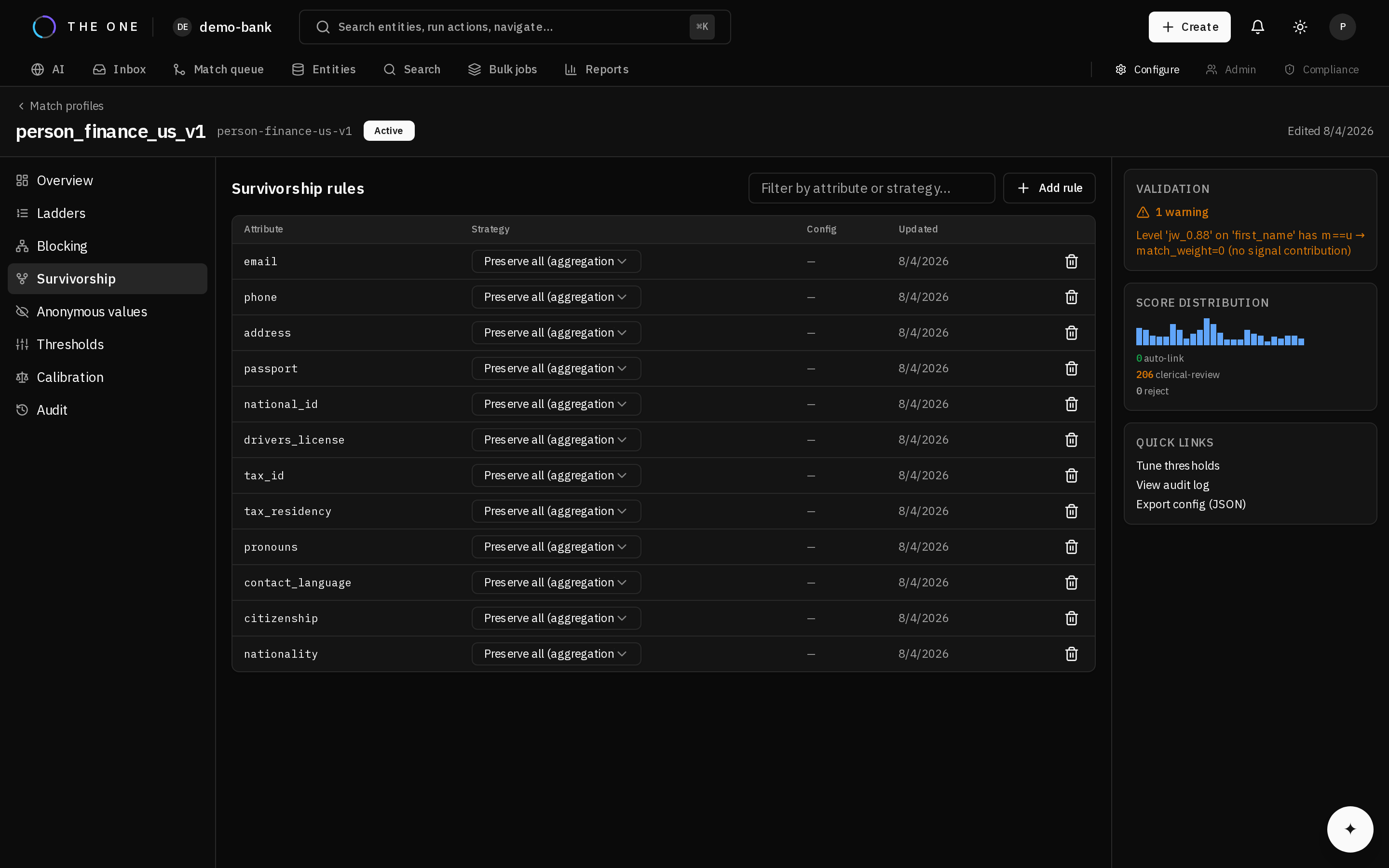 The Survivorship tab, where the winning value per attribute is decided.
Decide which value wins per attribute when sources disagree. Attributes with no rule fall back to the engine default.
For multi-value attributes such as email or address, the aggregation strategy preserves every distinct value rather than collapsing to one — usually what you want for contact details.
5. Activate
Activating deactivates any other profile for the same entity type, atomically. Exactly one profile is active per entity type at a time; two would make results non-deterministic.
6. Prepare the data
Before matching, the platform needs blocking keys computed and value frequencies snapshotted. Run profile maintenance to build them.
Frequency data is what powers the adjustment that suppresses common values, so matching before it exists produces systematically worse results.
7. Verify
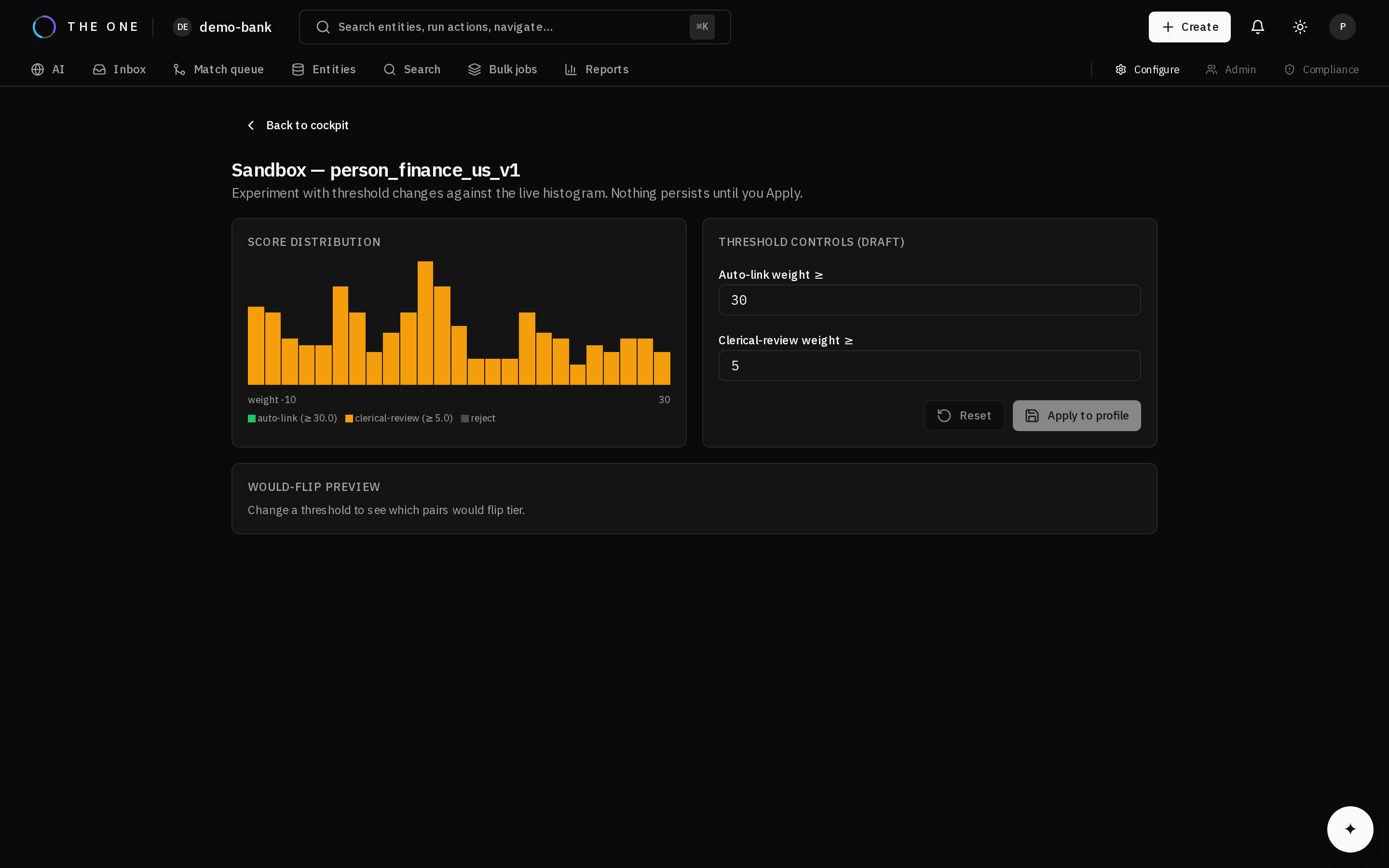 The Sandbox tab. Score a pair without writing anything, and read the contribution of every attribute.
Run a dry-run match on a record you know has a duplicate. It scores candidates and returns the pairs it would create, writing nothing.
Check that:
- The known duplicate appears among the candidates. If not, the problem is blocking — no threshold change will help.
- Its composite weight lands in the tier you expected.
- The per-attribute contributions look sane: high-value attributes carrying the weight, common values contributing little.
If a known duplicate is absent, add a blocking strategy that would catch it, then re-run maintenance.
Next
- Tune thresholds against labelled data
- Review potential matches
- Match profile reference