Mask Sensitive Fields
An ABAC policy decides whether a caller may see a record. Masking decides whether they may see a value inside a record they are otherwise entitled to open.
Before you start
field-masking-rule.create.- The roles the value should be hidden from.
1. Mask by field sensitivity, not by screen
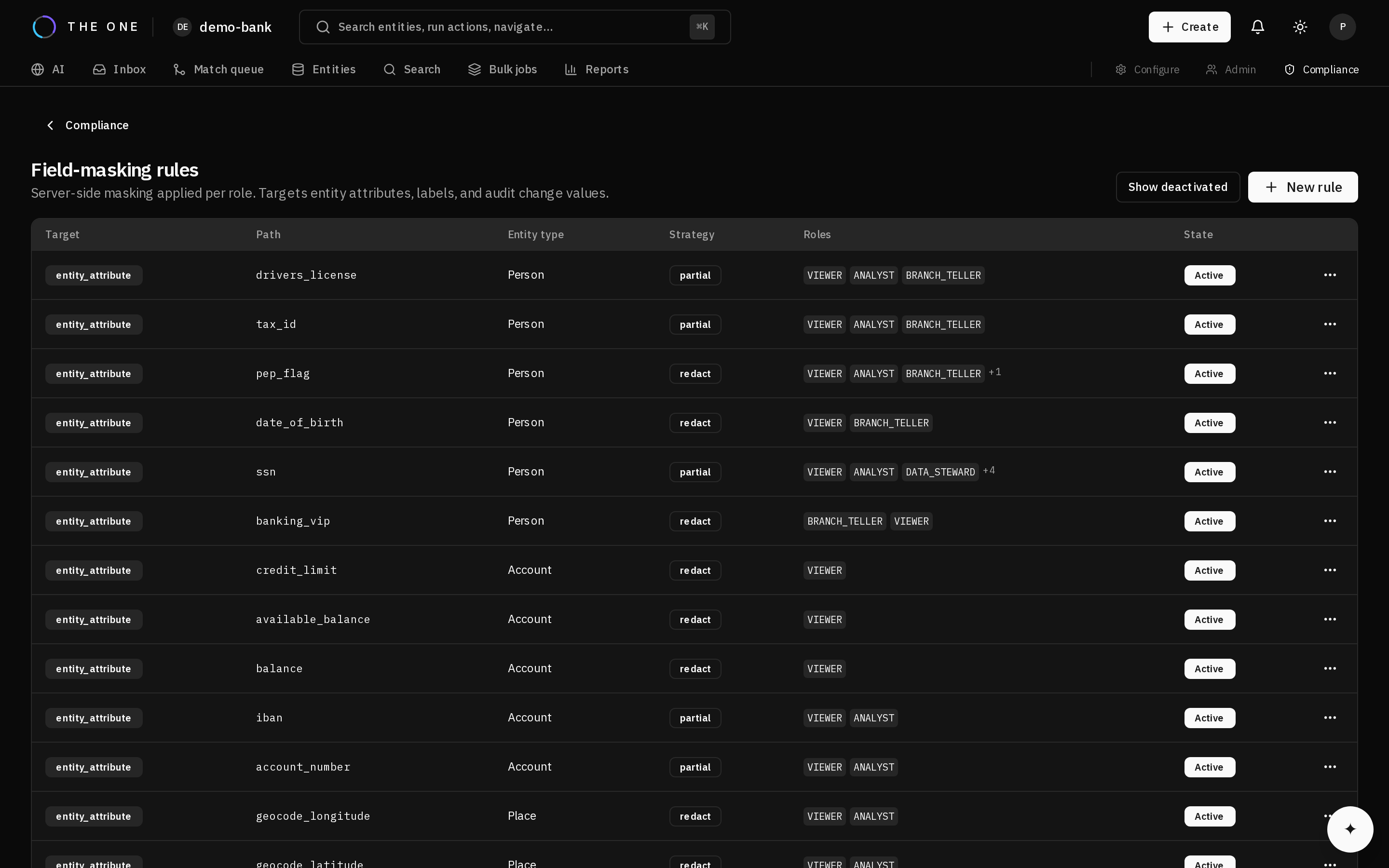 Field masking rules, each naming the field it hides and the roles it hides it from.
A rule names the field, the strategy, and who it applies to. Choose the field because the value is sensitive — not because one screen happens to show it.
That distinction matters because masking is applied when the response is generated, not per endpoint. One rule therefore covers every surface the value can reach: the record view, the 360 view, search results, match comparison, and audit entries. There is no screen left to leak it, and no new screen that could.
2. Pick a strategy
Strategies differ in what they leave behind. Partial redaction keeps a suffix so a steward can confirm the right record without seeing the value; full redaction keeps nothing. The available strategies and exactly what each produces are in the reference.
3. Verify with a real account
Sign in as a user in a masked role — not as an administrator imagining it.
- Confirm the value is redacted in the record view.
- Confirm it is redacted in search results too, which is the surface people forget.
- Confirm an authorised colleague still sees it, on the same record.
That last pair is the one that proves it: two people, the same record, different answers, each correct for who asked.
An AI agent reaching the platform is subject to the same masking as the person it acts for — it receives the redacted value and has nothing to reconstruct from. See Connect an AI agent.