Compose Roles and Bind Them to Groups
A role is a named set of permission codes. A user's effective permissions are the union of every role they hold — directly and through groups.
Before you start
- An identity provider connected, with users and groups mirrored from it.
role.createandrole.updateto compose roles;group.updateto bind them.
1. Read what a role already grants
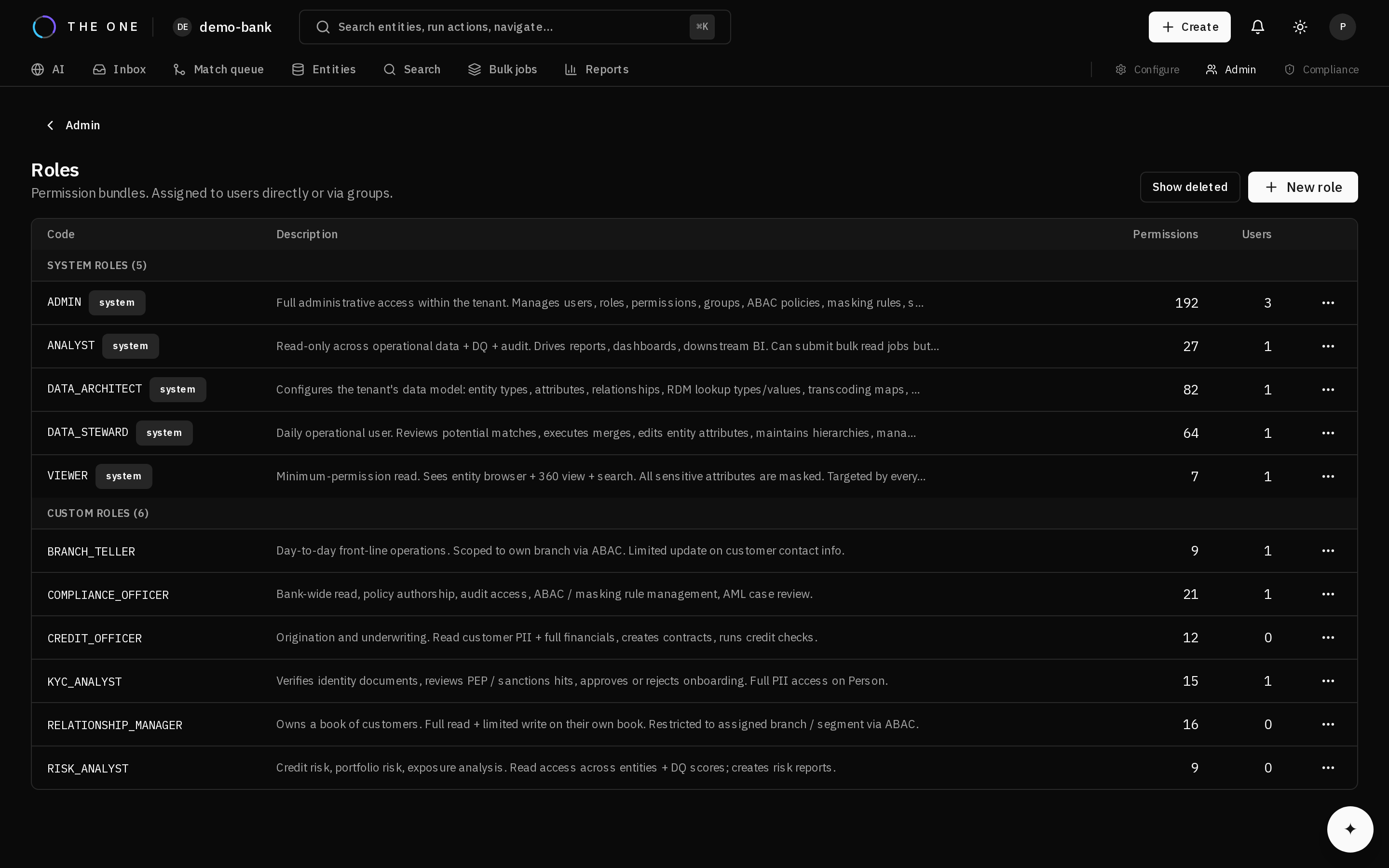 The roles screen. Each row is a role and the number of permission codes it carries.
Open a role before changing it. The permission codes it carries are the whole of what it grants — there is nothing implicit, and nothing inherited from another role.
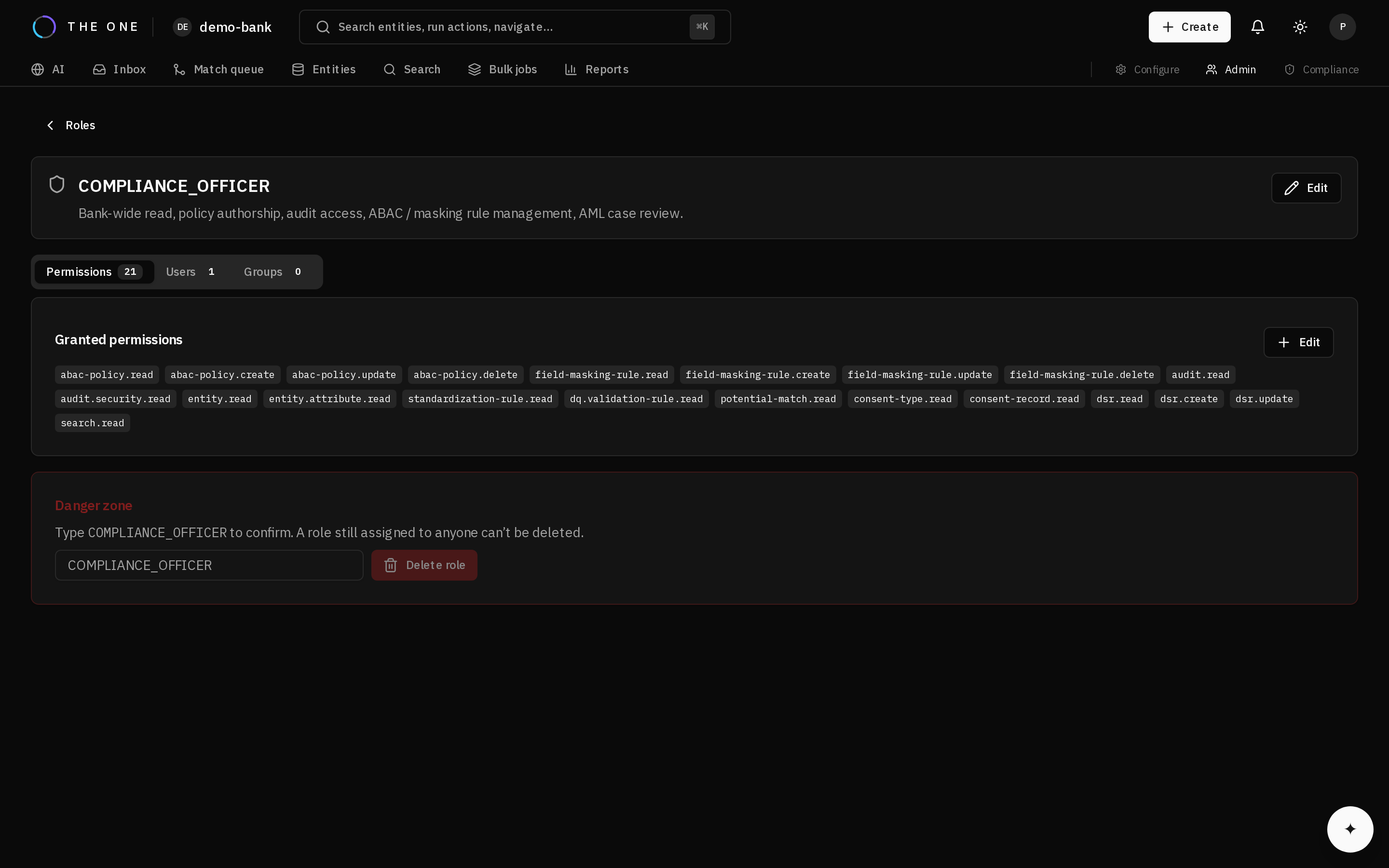 A role and every permission code it carries, with the users and groups holding it. Codes are
 resource.action; each endpoint declares the ones it requires.
2. Create a role around a job
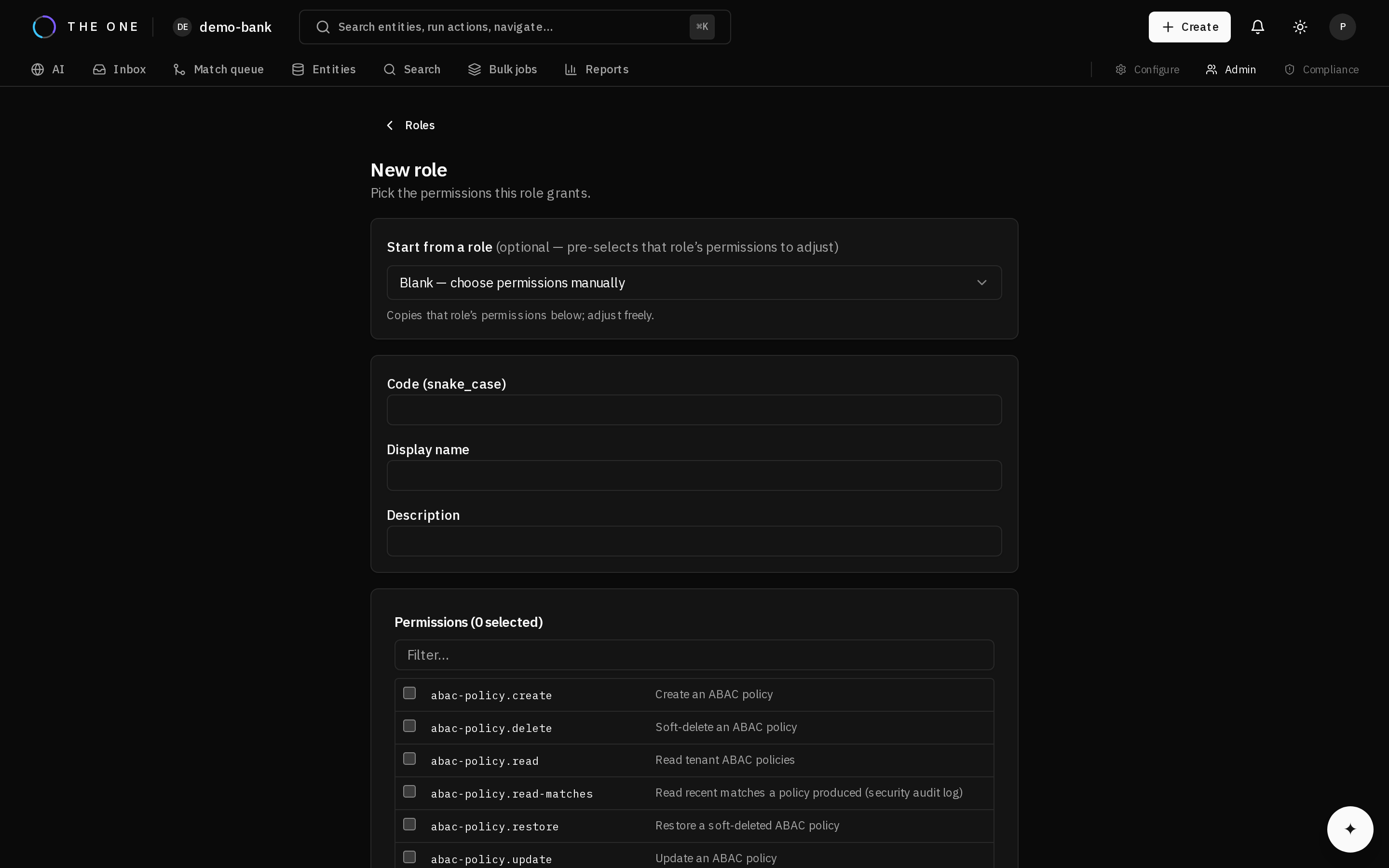 Creating a role. It can start from an existing one, which pre-selects that role's permissions to adjust rather than building from nothing. The code is the stable identifier; the display name is what people read. Each permission is listed with what it allows.
Build roles around jobs, not around seniority. "Steward" and "compliance officer" describe what someone does; "senior" and "junior" do not, and roles named that way accumulate permissions nobody can justify later.
Grant the minimum the job needs. Adding a permission is easy; discovering that a role has held an unnecessary one for a year is not.
3. Bind the role through a group
Assign roles to groups and manage membership in your identity provider. Access then follows joining and leaving automatically, which is the only arrangement that stays correct as people move.
Direct role assignment is for exceptions.
Effective permissions are resolved when a request arrives rather than baked into the caller's token. Granting or revoking a role takes effect on the next request, not when the token happens to expire.
4. Verify with a real account
Sign in as a user holding the role — not as an administrator imagining it.
- Confirm they can do the job.
- Confirm what they should not reach is refused.
Reading a role definition tells you what that one role grants. It does not tell you what a person can do, because they may hold several.