Quickstart
From a running platform to a tenant that resolves duplicates.
Before you start
- Access to a running platform.
- An identity provider configured, with an account you can sign in as.
- Platform administration access, to create the tenant.
1. Create a tenant
 Where you arrive once a tenant exists and you have been granted access to it.
Provision the tenant. Its permission catalog is seeded as part of creation, so roles can be composed immediately.
2. Grant the first administrator
A new tenant has no users, and the usual path — sign in and be provisioned automatically — cannot bootstrap it, because sign-in resolves tenants you are already a member of.
So the first administrator is granted explicitly, by naming an identity in your identity provider. Only the provider's identifier is supplied; the details are read from the provider itself.
After this, the tenant administers itself.
3. Install a seed pack
Rather than modelling from scratch, install a seed pack. A preset installs a whole stack in one step: universal reference data, universal entity types with conservative match profiles, and an industry-specific overlay.
Installation is idempotent, so it is safe to re-run.
At this point the tenant has a data model, reference data, standardization and validation rules, match profiles, and roles — but no records.
4. Load records
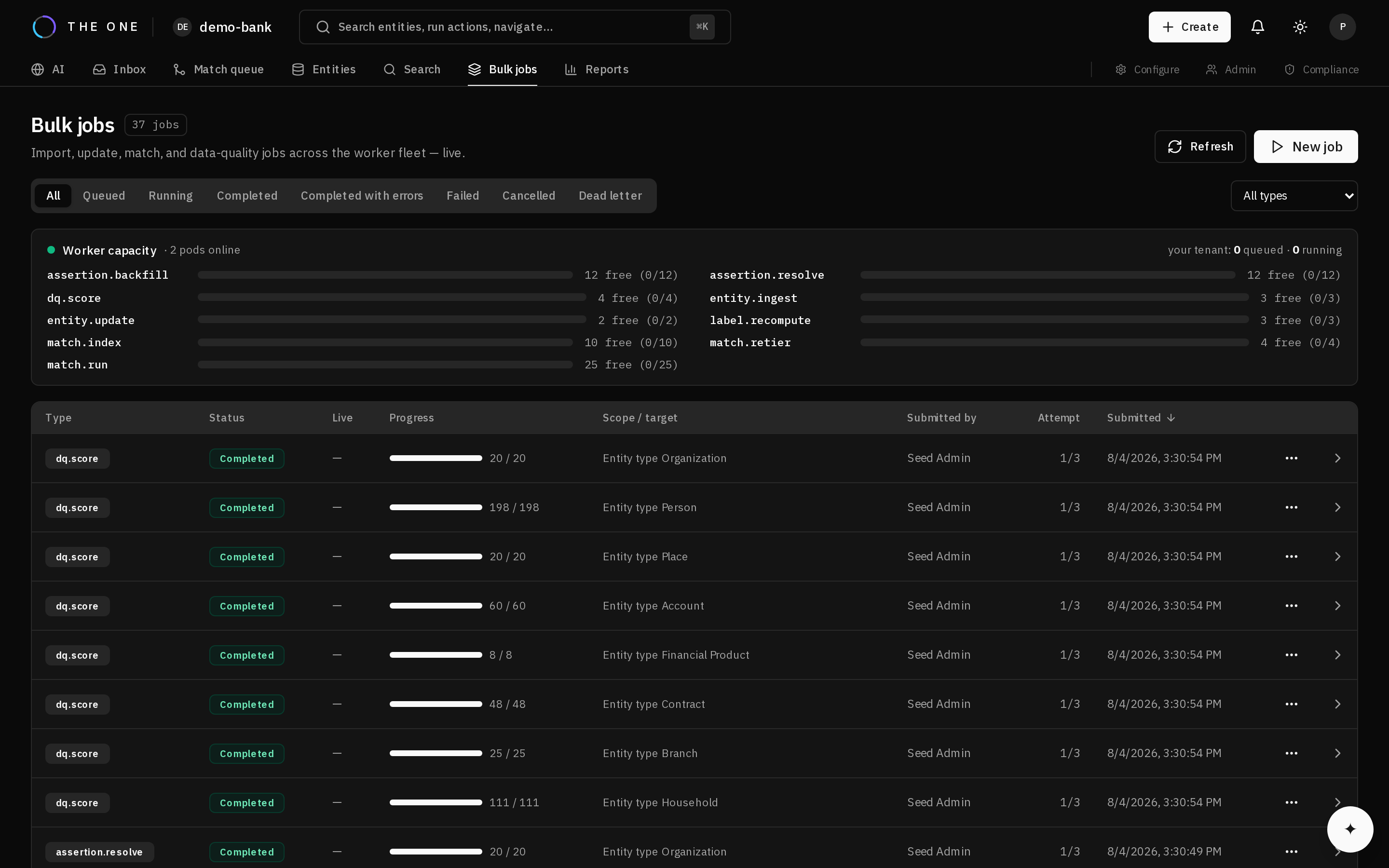 A bulk load reports its progress, its failures, and the rows that caused them.
Load through a bulk job rather than one at a time. Load in dependency order: reference data first (the pack did this), then entities, then relationships.
Use the initial-load option for this first load. It skips per-row history that has no prior state to preserve, and is substantially faster.
Partial success is normal — valid rows land and failures are recorded per row with their reason.
5. Prepare for matching
Matching needs blocking keys computed and value frequencies snapshotted. Run profile maintenance to build them.
The frequency data is what suppresses common values, so matching before it exists produces systematically worse results.
6. Match
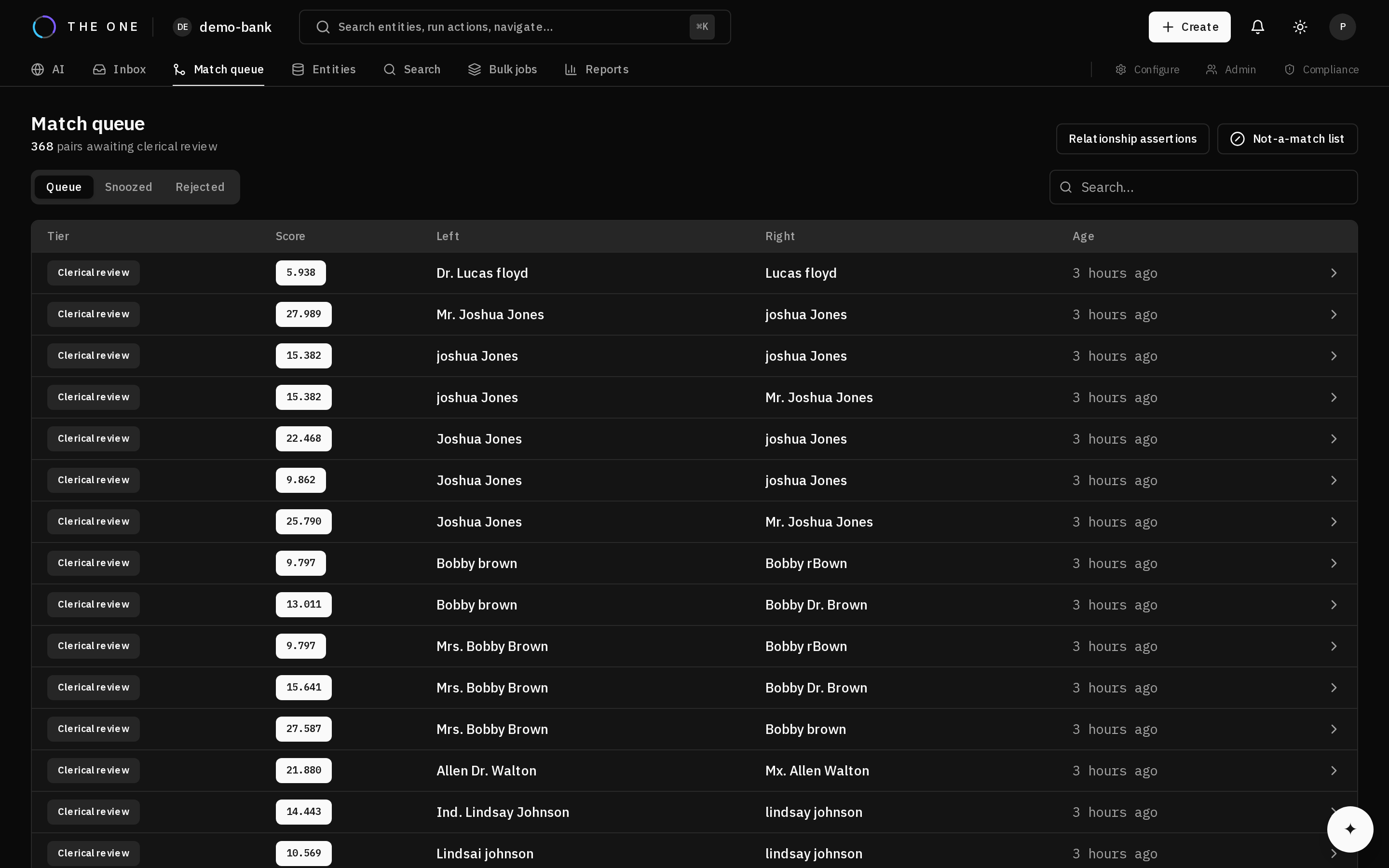 Pairs that scored into the review band land here rather than merging unattended.
Run matching across the tenant. Records above the auto-link threshold merge; those in the review band queue for a steward.
7. Verify
Check three things:
- Duplicates were found. Search for a person you know appears twice and confirm one entity, with several crosswalks.
- The review queue is sane. A queue of thousands usually means the clerical review threshold is too low.
- Nothing over-merged. Spot-check a few merges. Records that should not have merged are far more costly than ones that did not merge yet.
Next
- Create your first golden record — the same path, one record at a time
- Tune thresholds against your own data
- Connect an AI agent