Create Your First Golden Record
The whole pipeline on one record, small enough to watch every step.
Before you start
- A tenant with a data model and an active match profile — the quickstart gets you there.
- Permission to create and merge entities.
1. Create a record from the first source
Create a person entity with a crosswalk identifying the source system and its identifier for the record.
Use the CRM record from the worked example.
first_name          Jon
last_name           Pemberton
date_of_birth       1979-08-22
email               jon.pemberton@crm.example      (work)
phone               +15553001001                   (mobile)
address.line1       12 Old Mill Road               (home)
address.city        Hartford
address.state       CT
address.postalCode  06103
address.country     US

Crosswalk           CRM · CONTACT · CRM-CON-A8K42P
Two things to notice in that shape. email, phone, and address each carry a
usage type — this is a work email and a mobile number — because one person
legitimately has several of each. And address is not a string: it is a
structured value with named parts, which is what lets matching compare postal
codes to postal codes.
The values are standardized on write, so what is stored is the canonical form — the email lowercased, the phone in international format, the date unambiguous.
2. Create the same person from a second source
Now the same person as the ERP holds him. The disagreements matter: the legal surname is hyphenated, the email is different, and the street is abbreviated.
first_name          Jonathan
last_name           Pemberton-Hayes
date_of_birth       1979-08-22
email               j.pemberton-hayes@erp.example  (work)
phone               +15553001001                   (mobile)
phone               +15553009002                   (work)
address.line1       12 Old Mill Rd                 (home)
address.city        Hartford
address.state       CT
address.postalCode  06103
address.country     US

Crosswalk           ERP · CUSTOMER · ERP-CUST-100001
The ERP holds two phone numbers, and the same human is a CUSTOMER here
where the CRM filed him as a CONTACT. Neither system is wrong.
You now have two entities and no link between them. That is expected — nothing has matched yet.
3. See why they match
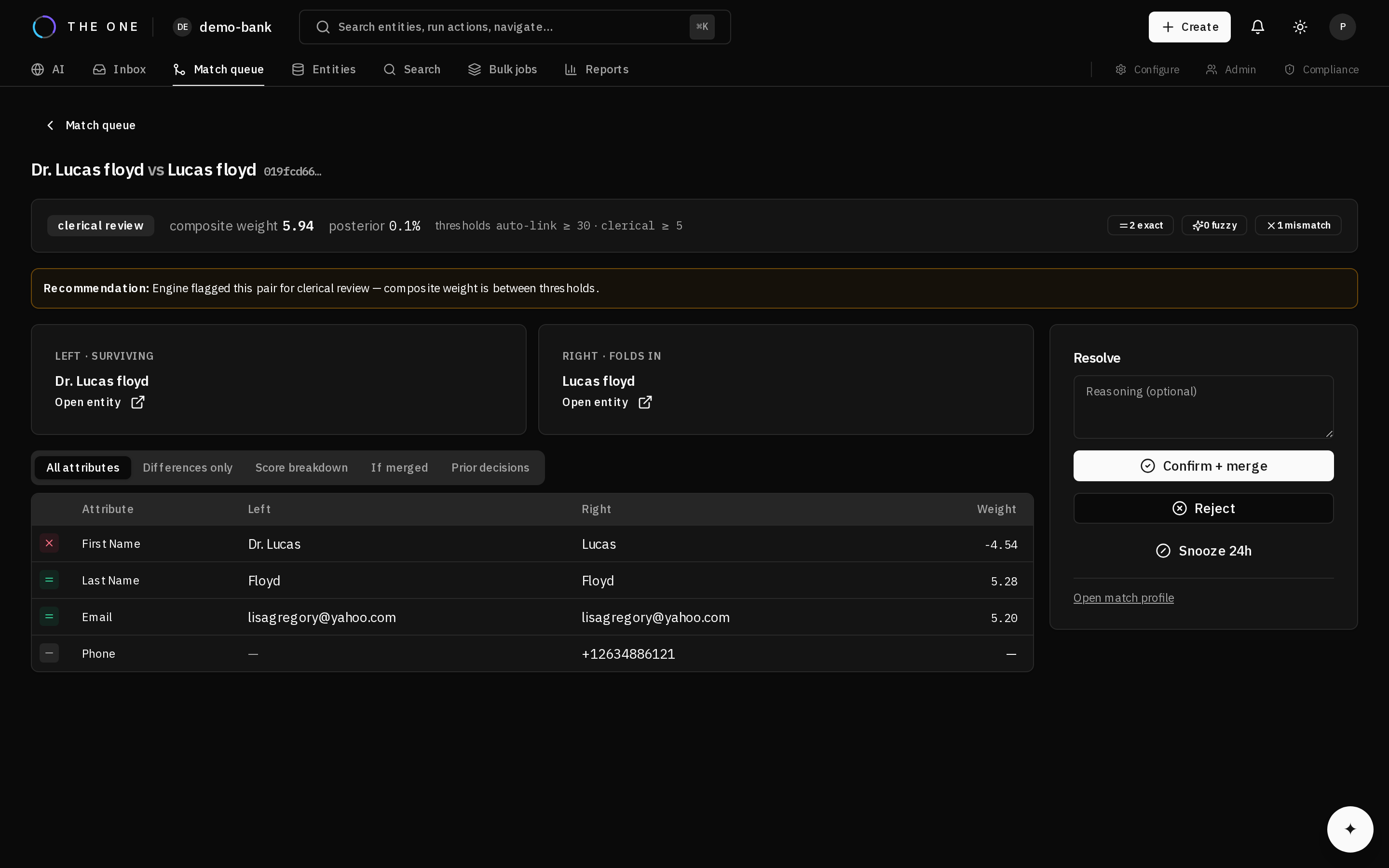 The same arithmetic, as the reviewer sees it.
Run a dry-run match on the first record. It scores candidates and returns what it would do, writing nothing.
The breakdown shows each attribute's contribution:
| Attribute | Agreement | Weight |
|---|---|---|
phone | +15553001001 on both | +12.966 |
date_of_birth | 1979-08-22 on both | +11.674 |
address.line1 | agrees after standardization | +4.059 |
address.postalCode | 06103 on both | +3.196 |
address.city | Hartford on both | +2.196 |
address.country | US on both | +0.501 |
email | different | −3.319 |
first_name | Jon vs Jonathan | see below |
last_name | Pemberton vs Pemberton-Hayes | see below |
The shared phone number carries the case — two unrelated people holding the same number is vanishingly unlikely, so agreement there is worth nearly 13 points. Date of birth is worth almost as much. The address contributes four small amounts rather than one large one.
address.line1 agrees only by a hair: the two systems wrote 12 Old Mill Road
and 12 Old Mill Rd, and they match only because standardization expanded the
abbreviation before anything was compared. Without that step this row would have
counted against the pair.
The disagreeing email did count against it.
Everything above sums to +31.27, past the profile's auto-link threshold of
30.0 — but that total excludes the two name fields, because whether Jon and
Jonathan reach a fuzzy rung or fall through to a mismatch is decided by the
comparator at run time.
If the given name falls through, it subtracts 4.539 and the pair lands at +26.73 — in the review band. One noisy field, on a pair where six other signals agree, decides between merged automatically and a person looks at it.
The stock profile also requires agreement on at least two distinct attributes before anything auto-links, independently of the thresholds. That guard is why a single strong agreement cannot merge two records on its own.
4. Confirm the match
The pair is in the clerical review queue, so open it and confirm — this is exactly the steward workflow, and doing it once by hand is the fastest way to understand what the tiers mean.
5. Read the golden record
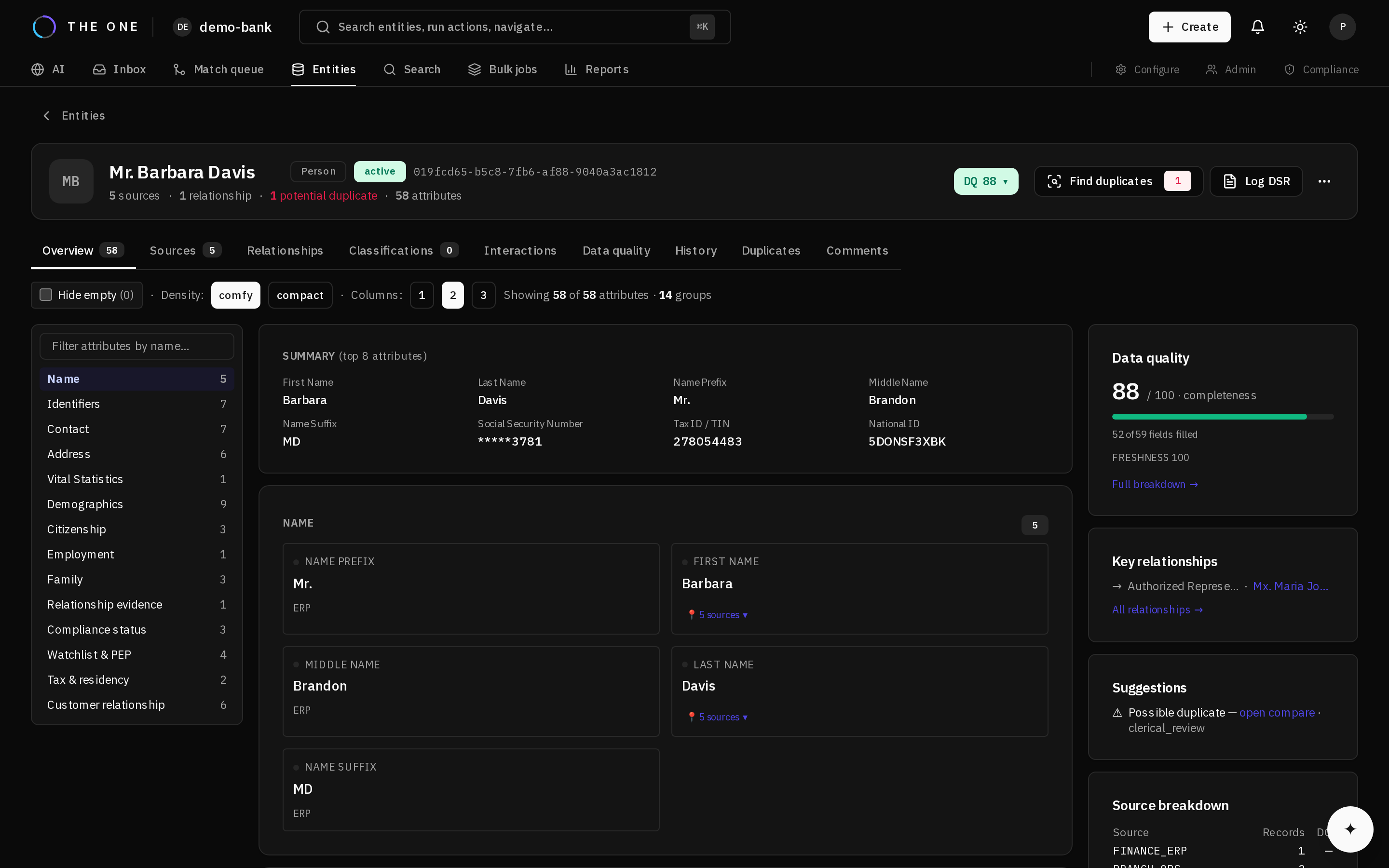 The golden record, with the contributing sources collapsed under each value.
One entity now, with two crosswalks. Survivorship chose a winner per attribute, and the 360 view shows both the winner and the inputs it was chosen from.
Nothing was destroyed. Both source records still exist, both crosswalks resolve, and requesting the absorbed record resolves to the survivor.
6. Undo it
Unmerge. The absorbed entity is restored with the state it carried — the survivor was never removed, so there is one thing to bring back, not two.
Knowing merges reverse cleanly is what lets you tune matching confidently instead of cautiously.