Define an Entity Type
Before you start
- The
entity-type.createandattribute-def.createpermissions. - Reference data already loaded for any attribute you intend to bind — see manage reference data.
1. Create the entity type
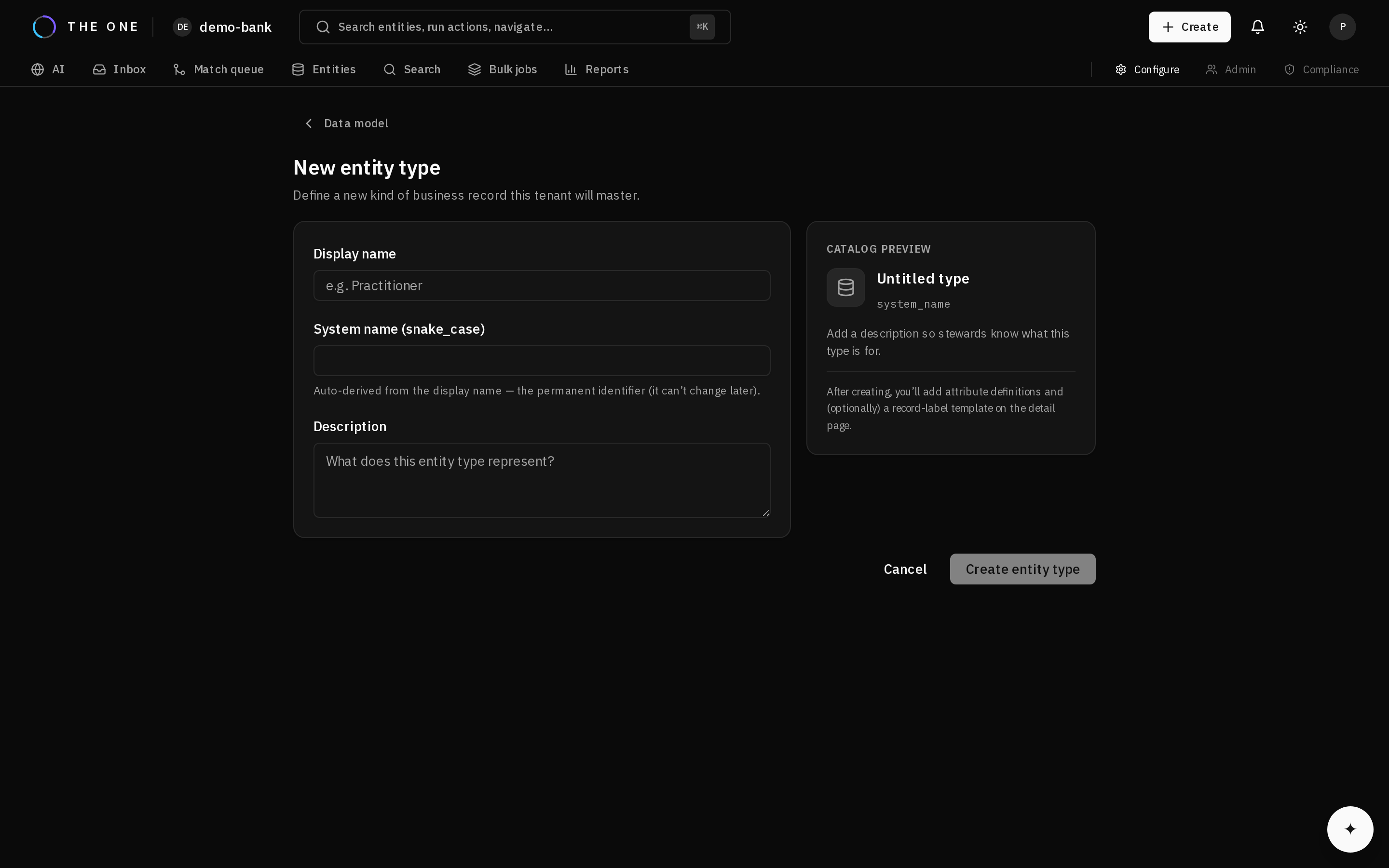 Creating an entity type. The name is permanent; the display label is not.
Give it a name and a display label. The name identifies it in configuration and in the API; the label is what people read and can be changed later without affecting stored data.
2. Add attributes
For each attribute decide four things, in this order:
| Decision | Consequence |
|---|---|
| Data type | What values are accepted, and which comparators can be used when matching |
| Cardinality | Whether one value or several. Changing this later is disruptive. |
| Required | Whether a record can exist without it |
| Reference binding | Whether values are constrained to a controlled list |
Get cardinality right first time. Declaring email single-value forces the platform to discard real data at every merge, and widening it later means re-examining every record that already lost values.
3. Bind controlled values
Where a controlled vocabulary exists, bind the attribute to its lookup type. The platform then accepts only that list's codes and resolves labels consistently everywhere.
For a multi-value attribute, you can additionally bind a usage type list — home, work, mobile. Survivorship then resolves each usage independently rather than picking a single winner across all of them.
4. Declare composites as composites
An address is a set of named parts, not a string. Declaring it composite is what lets matching compare postal codes exactly while comparing street lines loosely.
Flattening it into text is not recoverable later.
5. Set the display template
An entity type's label is derived from chosen attributes, so records display meaningfully in lists, search results, and review queues.
Changing the template later requires a recompute to apply it to existing records — see load data in bulk.
6. Verify
Create one record with every attribute populated, then read it back. Confirm:
- Values are stored in the canonical form your standardization rules produce.
- Lookup-bound attributes resolve to labels, not bare codes.
- Composites read back as structured values, not joined strings.
- The display label renders as intended.
Doing this once, before loading at volume, is far cheaper than discovering a modelling mistake after a million records exist.